

Desk Power: Sockets and Modules Where You Need Them
Count the times a day someone in your office gets under a desk. A laptop charger, a phone that died at two o'clock, a visitor's adapter, the monitor that went dark when someone kicked the four-way. Every one of those is a person on their knees with a torch on their phone, looking for a socket that is behind a pedestal. Desk power modules fix this by putting the sockets on the desk, where the devices are, and running one cable to the wall instead of six. Get it right once and nobody goes under a desk again.
The three kinds of desk power module
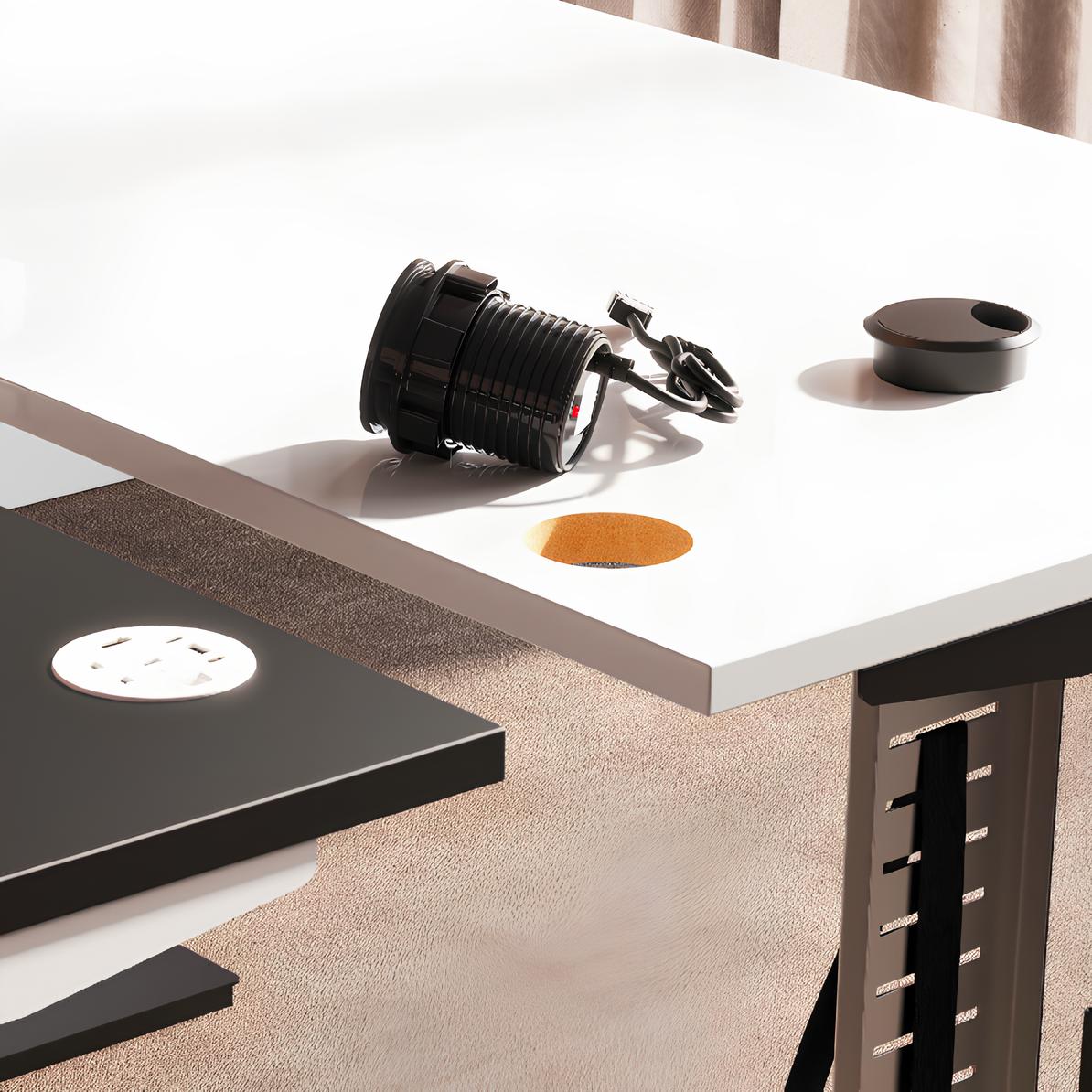
In-desk, through the cable port
Most desks have an 80mm cable port in the top with a plastic grommet in it. Take the grommet out and a round module drops into the hole. The Volta round cable port power module is the one to start with: a fused mains socket, one USB-A and two USB-C sharing 45W, an HDMI 1.4 pass-through and a CAT 6 socket, 10.5cm across at its widest, in black or white. The mains lead is sold separately in 100cm, 200cm and 400cm lengths, and a short chain cable links one module to the next, so a bench of four desks runs off one wall socket. That is the point of the system. One cable per bench, not one per desk.
Pop-up
A pop-up module sits flush in the desk and rises when you press it, so the desk looks clean when nothing is plugged in. The Volta pop-up has four individually fused sockets, a 5W wireless charging pad on top, USB-A and USB-C sharing 15.5W, HDMI and CAT 6, and comes with its own 2 metre lead. It is 14.5cm round and 17.5cm tall when up. It needs a bigger hole than a grommet, so it is a job for a new desk or a drill.
Clamp-on
If you do not want to cut anything, a clamp-on unit grips the back edge of the desk. The Impulse clamp-on desktop power unit has three mains sockets and a USB-A and USB-C port in a 27.7cm bar, with a clamp that takes tops from 10mm to 36mm thick, a 1.5m lead, a 13A fuse and BS certification. It is the option for rented desks, hot desks and anywhere the landlord's dilapidations clause reads like a threat. It comes off in a minute and leaves no hole.
Watts, amps and the numbers that matter
The USB wattage is the number to read before you buy. A phone charges happily at 15W. A tablet wants 20W. A laptop wants 45W or more, and a USB-C port offering 15W will keep a laptop alive but will not charge it while it is working. That is why the round Volta gives its USB ports a shared 45W and the pop-up gives its ports 15.5W. One is for a laptop. The other is for the phone on the desk while the laptop uses the mains socket. Shared means shared, too. Plug two devices into the 45W module and they split it.
On the mains side, the round module is fused at 3.15A, which is fine for a laptop brick and a monitor and not fine for a kettle. The pop-up fuses each socket at 5A. The clamp-on carries a 13A fuse like a plug. None of these should be feeding a heater or a printer. That is what the wall is for. If the module has an HDMI or network socket, it is a pass-through: you still run the cable to it underneath, but the person at the desk plugs into the top rather than fishing for it.
Putting it in
Start at the wall. One 13A socket per bench, ideally the floor box or wall point nearest the middle of the run, so the mains lead reaches the first module and the chain cables do the rest. Cable trays under the desks carry the leads out of sight and out of reach of feet, and our cable management range has trays and spines for the desk ranges we sell. Then place the module where the devices actually live. On a straight desk that is the back corner on the mouse side, so the phone cable does not cross the mouse. On a bench it is the centre line, one per person, not one shared between two people who will fall out over it.
Buy modules with a fused mains socket, and read the spec table on the listing before you do. It tells you the fuse rating, the USB wattage and the size of hole it needs. If you cannot find the fuse rating on a listing anywhere, do not buy it, from us or anyone else.
What it costs
All three modules above come in under £100 before VAT, and the leads run from £7 to £15. Our office furniture under £100 page has them alongside the rest of the small stuff. It is the cheapest change you can make to a desk that people will notice every single day, and the return on it is measured in knees.
Contents

Web Developer
Keeps the site quick, honest and free of the usual dark patterns.